
Time-Based Billing Codes
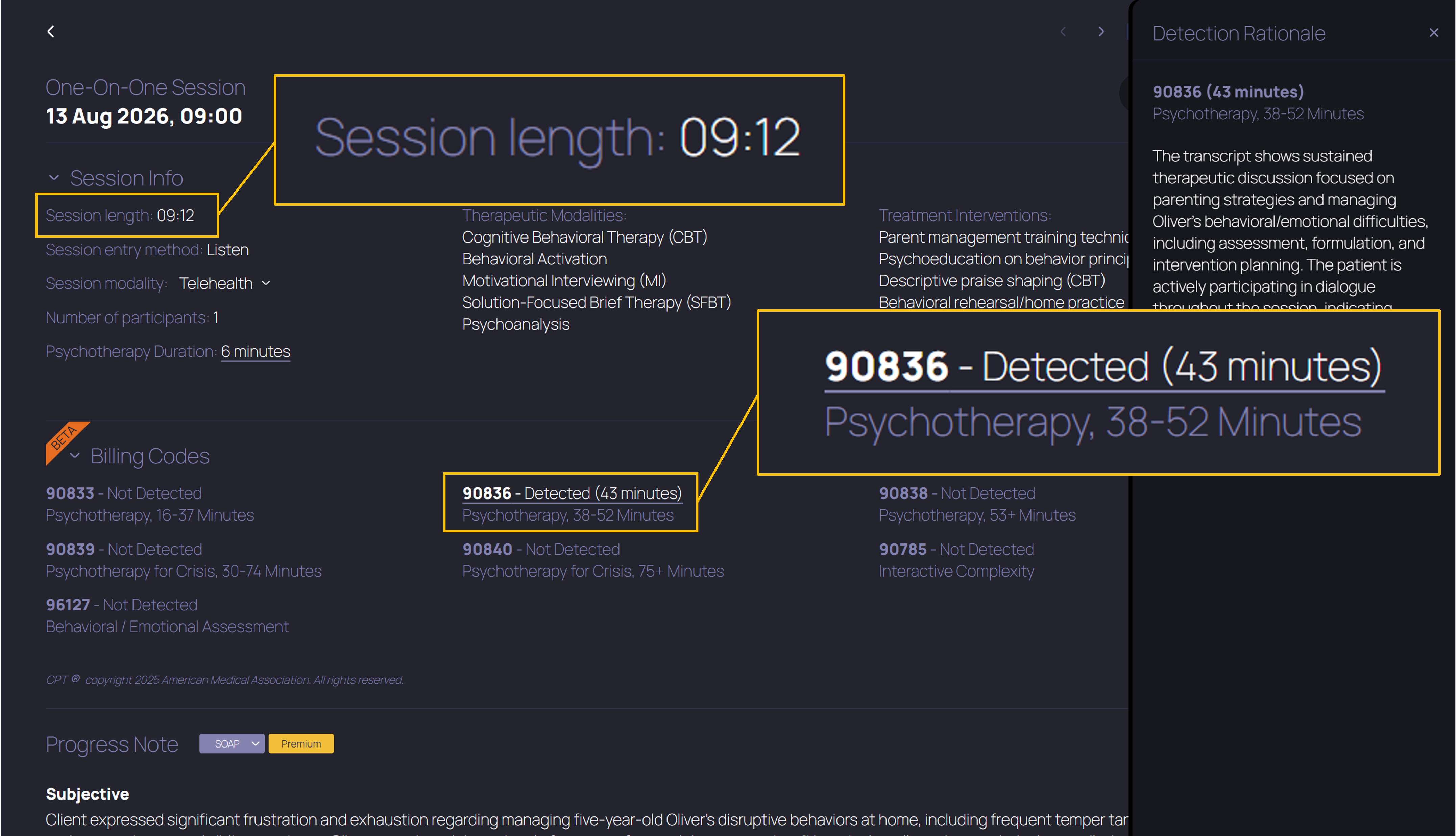
You focus on your client, TheraPro does the rest. That's our vision. This week, we're taking a closer look at what this means for detection of the primary psychotherapy billing codes: 90832, 90834, and 90837. These are the time-based codes many therapists bill for nearly every session. We want to be clear about what TheraPro is doing, so you can have confidence that your billing code detection just works, and spend more time focusing on caring for your clients.
Why now? Because payers are not just standing by. One payer here in Utah recently announced a new policy requiring additional documentation of service time for psychotherapy billing codes. We want you to have clear information at hand to explain and support the care you provide your clients. TheraPro's Billing Code Detection gives you this support in your Pro or Multi-Therapist plan at no additional cost.
HOW THERAPRO PUTS THE PIECES TOGETHER
For primary psychotherapy codes, TheraPro combines two kinds of information:
- Session Content: TheraPro looks for evidence in the session that psychotherapy was provided and that the client was present for all or most of the session. This criterion is necessary but straightforward, since psychotherapy with clients is what you do all day.
- Time: TheraPro calculates estimated session duration and applies the time ranges for the codes below.
| Psychotherapy time | Primary code |
| 16-37 minutes | 90832 |
| 38-52 minutes | 90834 |
| 53 minutes or more | 90837 |
When session content and timing support a code with sufficient confidence, TheraPro puts the pieces together and marks the appropriate code as Detected.
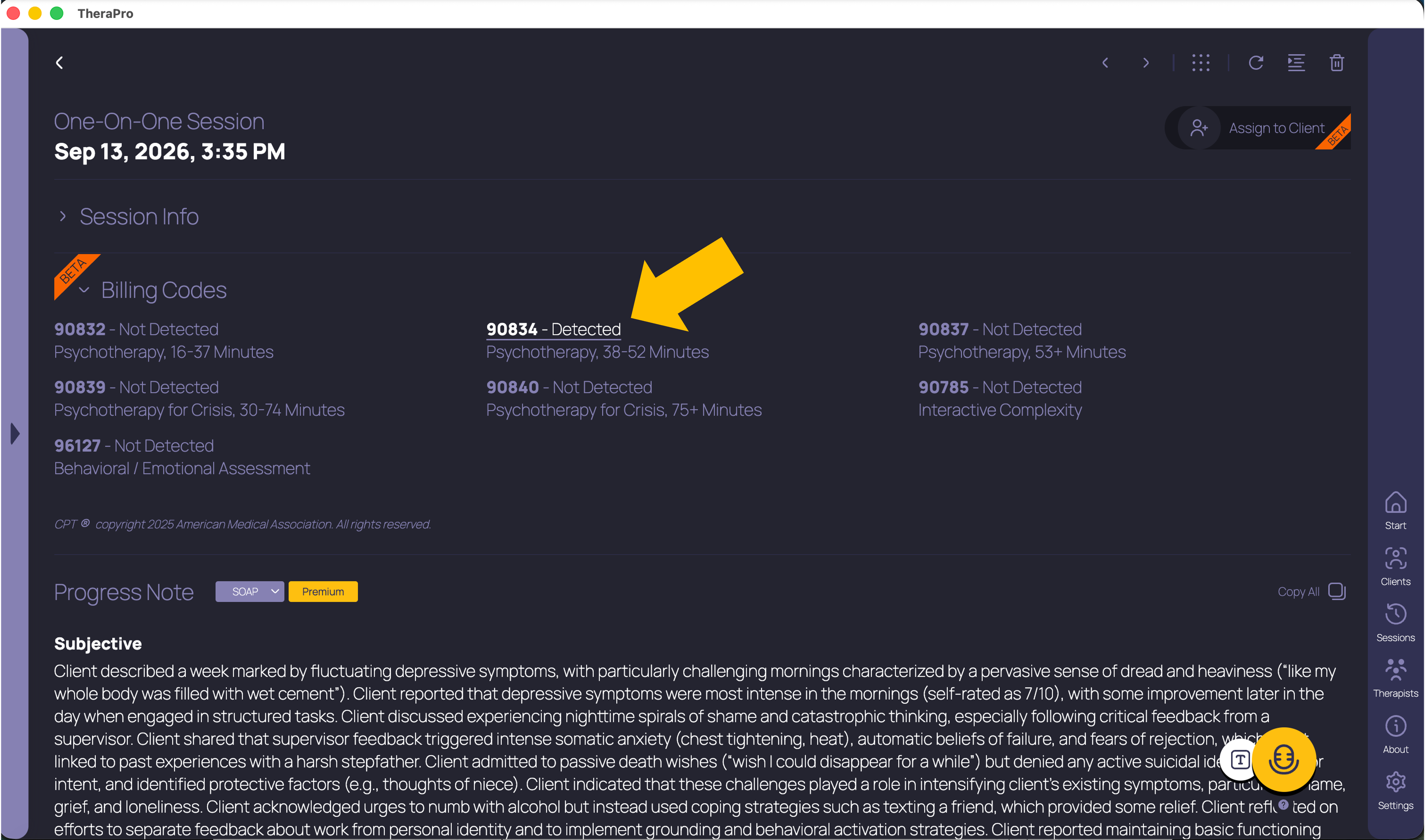
The session content supplies the evidence of the service, while the session duration supplies the appropriate time range. Now let's look at the session duration calculation in a little more detail.
THERAPY MAY BE LONGER OR SHORTER THAN A SCHEDULED HOUR
Suppose you start TheraPro at 2:00, wait quietly until your client joins at 2:10, and provide 50 minutes of psychotherapy before finishing at 3:00.
For primary psychotherapy and crisis codes, TheraPro listens for the first and last detected speech to identify the conversation's boundaries. When those boundaries are clear, TheraPro sets aside quiet waiting time at the beginning of a session, and any silence at the end of the session. In this example, TheraPro calculates 50 minutes, placing the session in the 90834 time range.
You can see TheraPro's calculated session duration in minutes beside the detected code, whenever that duration is available, so the basis for the suggested code is easy to understand.
WHY THE SESSION TIMER AND THE CODE MAY DIFFER
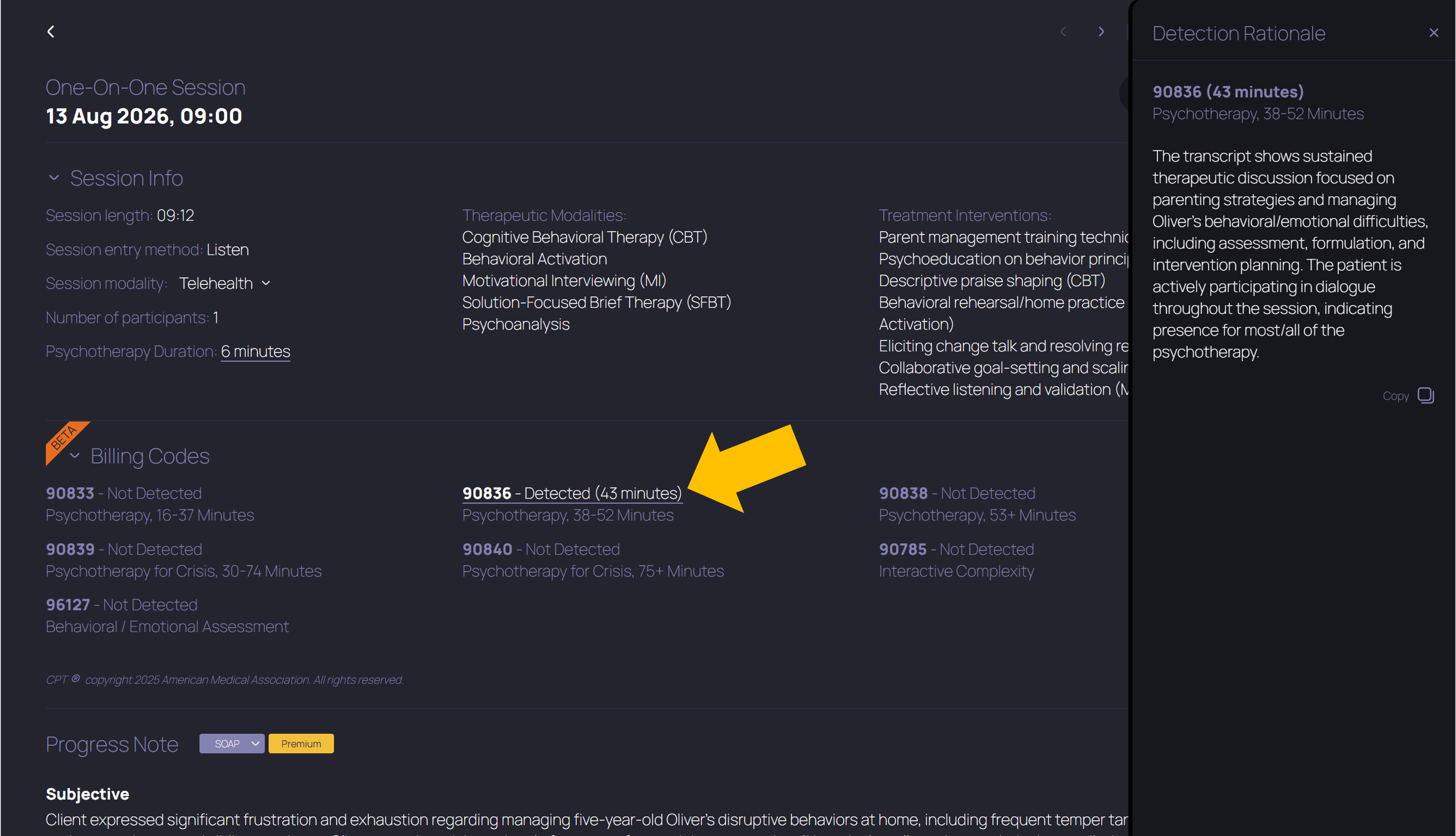
TheraPro's session timer tracks how long TheraPro is listening during your session. But when you take into account silence or non-session-related content at the beginning or end of a session, or pausing the timer while a session is ongoing, the session duration that's relevant to supporting a billing code decision can be very different.
We call the timing used for primary psychotherapy and crisis code detection elapsed session time. It is trimmed to the conversation's boundaries and takes into account when you pause, then resume, TheraPro during session, for example if there's a particularly sensitive or irrelevant topic you don't want TheraPro to hear. But don't worry, even when the session timer is paused, TheraPro is still keeping track of the elapsed session time to produce as accurate a timing estimate as possible for billing code detection.
The result is that in many cases, the elapsed session time supporting a billing code can be longer than the session timer or the Session length shown in your Session Info. But if there's significant quiet time before or after the conversation, the elapsed session time can be shorter than the session timer.
That said, TheraPro's timings are estimates, and TheraPro doesn't know what's happening when you pause the session timer. An unrecorded interval could contain therapy (that's TheraPro's default assumption) or a break. Interruptions and non-treatment time are worth checking when you confirm the actual service time for a session.
SEE WHAT THERAPRO CONSIDERED
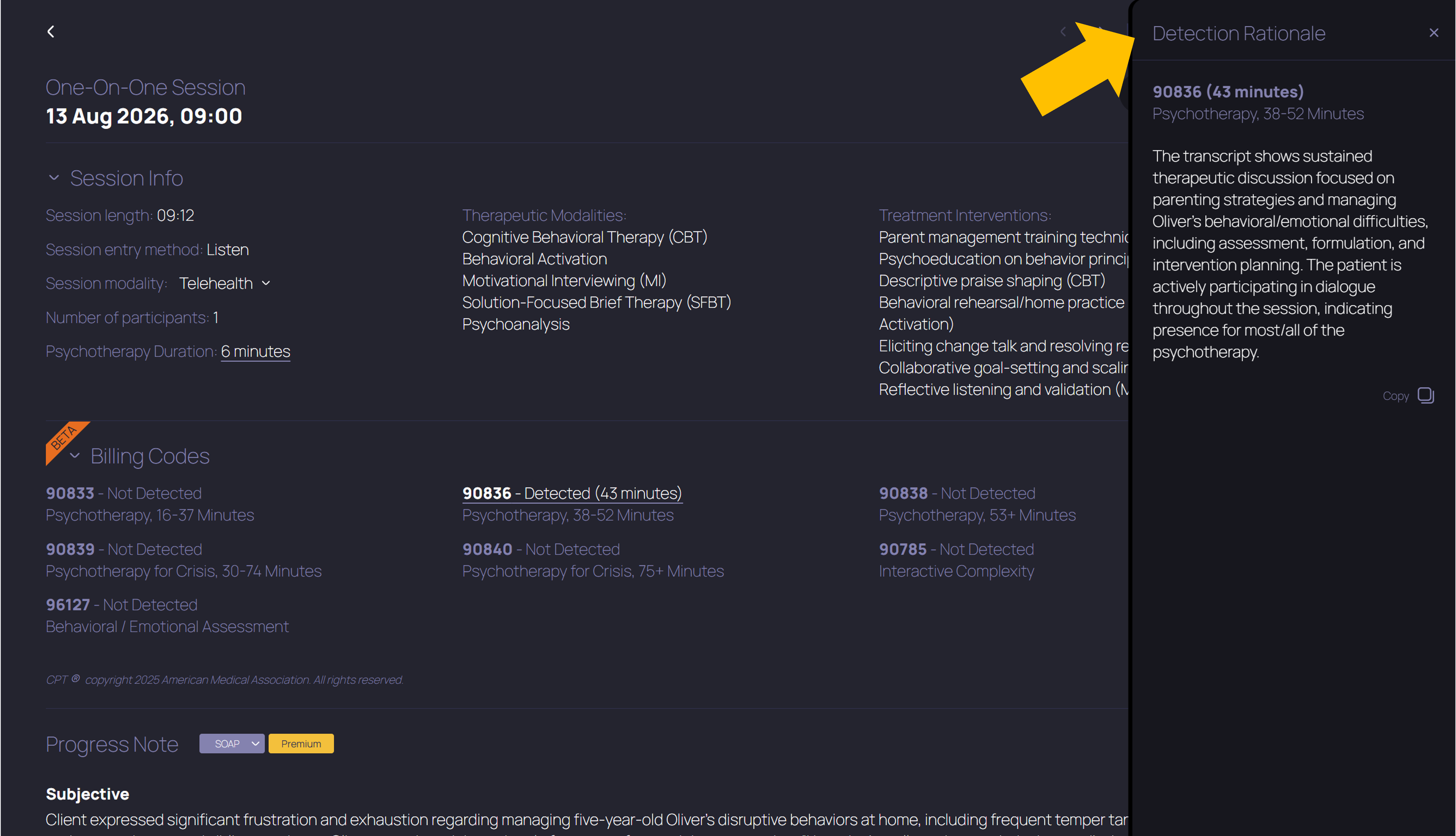
After analysis of your session is complete, you can click a code marked Detected in the Billing Codes section to open that code's Detection Rationale. There you'll find a short explanation of the supporting evidence for that code, along with TheraPro's estimate of the elapsed session time when available. You can copy the explanation for use in your documentation workflow.
Want to look more closely at what TheraPro found? Select View Transcript to see the highlighted portions of the session transcript that TheraPro considered relevant to this billing code. Turn Session Transcripts On under Settings → Note Options to enable this view. The detection rationale itself is available even when transcript viewing is off.
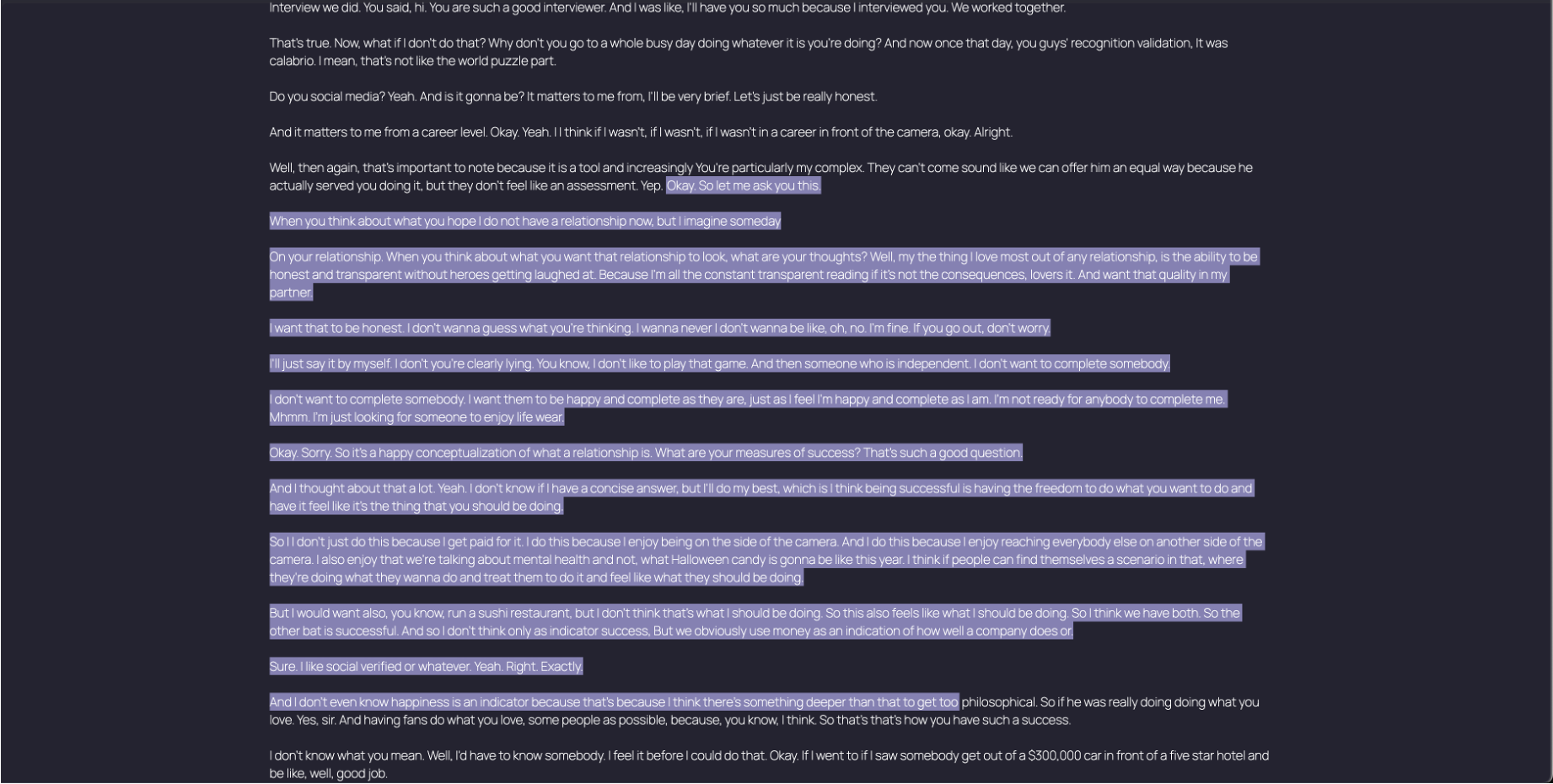
The detection rationale and session transcript give you the tools you need to review a suggestion or explain the clinical work behind your billing decision. For primary psychotherapy codes, the transcript highlights show evidence of psychotherapy and client participation; they don't classify every minute as billable. You bring your knowledge of the actual service, its duration, and the requirements that apply to your practice. TheraPro helps organize the evidence for you to make your judgment, while you review and finalize the note and the service to be billed.
NO SETUP OR SPECIAL STEPS REQUIRED
You don't need to do anything special for TheraPro to calculate elapsed session time and detect billing codes. Just have TheraPro listen to your full session with an audio setup that captures both you and your client clearly. Start and end TheraPro's timer whenever it's natural. Pause when you feel you need to, that won't affect TheraPro's elapsed time calculation. Conduct your session naturally. There's no need to narrate every action, name billing codes, or fill therapeutic silences.
Keep in mind, a brief dictated session recap can't recreate the timing of the original visit. TheraPro can detect non-time-based codes (such as 90785 or 96127) from typed sessions, but time-based detection requires a full audio session. If you haven't enabled Billing Code Detection yet, you'll find it under Settings → Note Options.
We're working to make time-based code detection more automated, more accurate, and easier for our TheraPro therapists to use. You put real expertise and care into every session. We want to help you make that work visible in your documentation and billing, and give you clear, accessible support when questions arise about the services you provide. The more of that administrative work we can take off your plate, the more bandwidth you have for your clients.
If a billing code suggestion doesn't fit the service you provided or the requirements you work under, we'd like to hear about it! Send your feedback to hello@therapro.ai so we can keep improving TheraPro around the realities of your practice. For help with settings or billing code suggestions, contact help@therapro.ai. Thank you for using TheraPro.
Get started with TheraPro AI by checking out our Plans and Pricing, finding out more about How TheraPro Works, or seeing our approach to Security and Privacy. You can Contact Our Team to talk with a real person if you have questions, or Sign Up to create a free account and start using TheraPro AI today!