
Billing Code Detection
We’re excited to announce that Billing Code Detection is now live in TheraPro! We know how much therapists love doing billing… just kidding. We know it’s a real pain, and since our job is to make your lives easier, we decided TheraPro should help with that part of your work too. We’ve been hard at work on this, and we’re happy to report that now TheraPro can not only listen for billing codes relevant to your session, but can also give you the note and transcript-based documentation you need to validate the detected codes and support your billing decisions. Billing Code Detection is now available for Pro and Multi-Therapist users.
HOW DO I GET STARTED?
To use Billing Code Detection, you first need to go to Settings, click the Note Options tile, find the Billing Code Detection toggle, and set it to On.
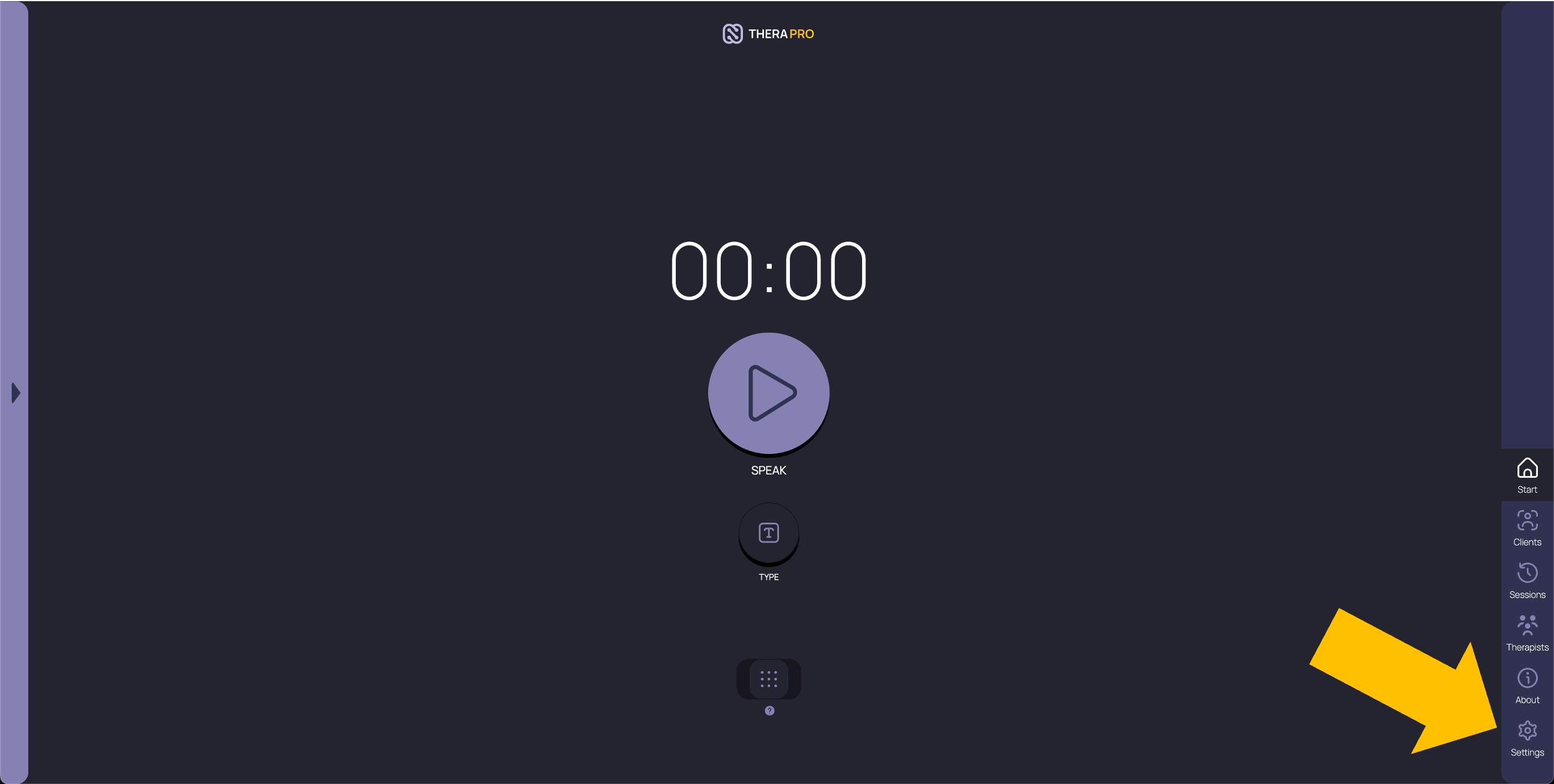
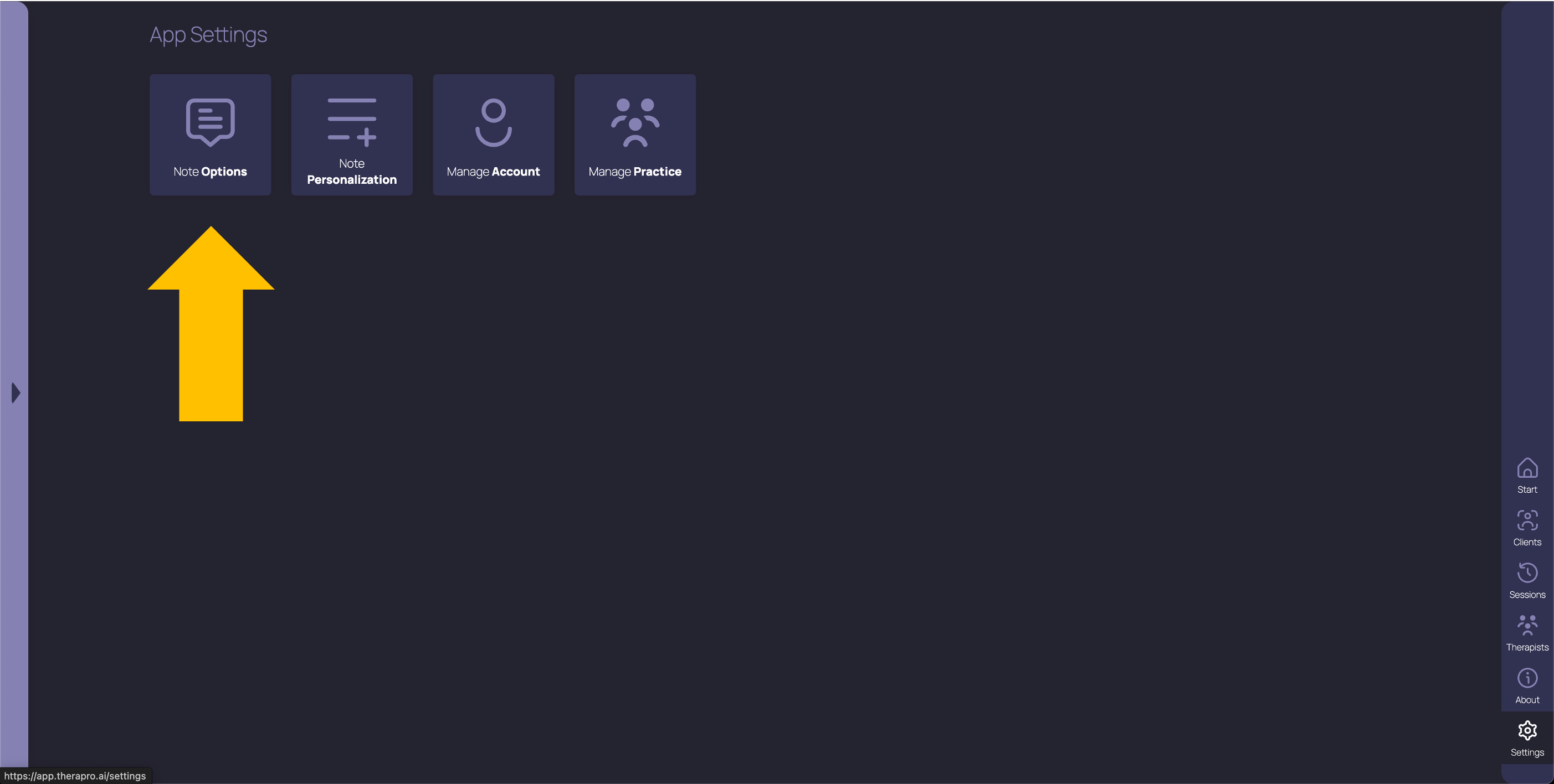
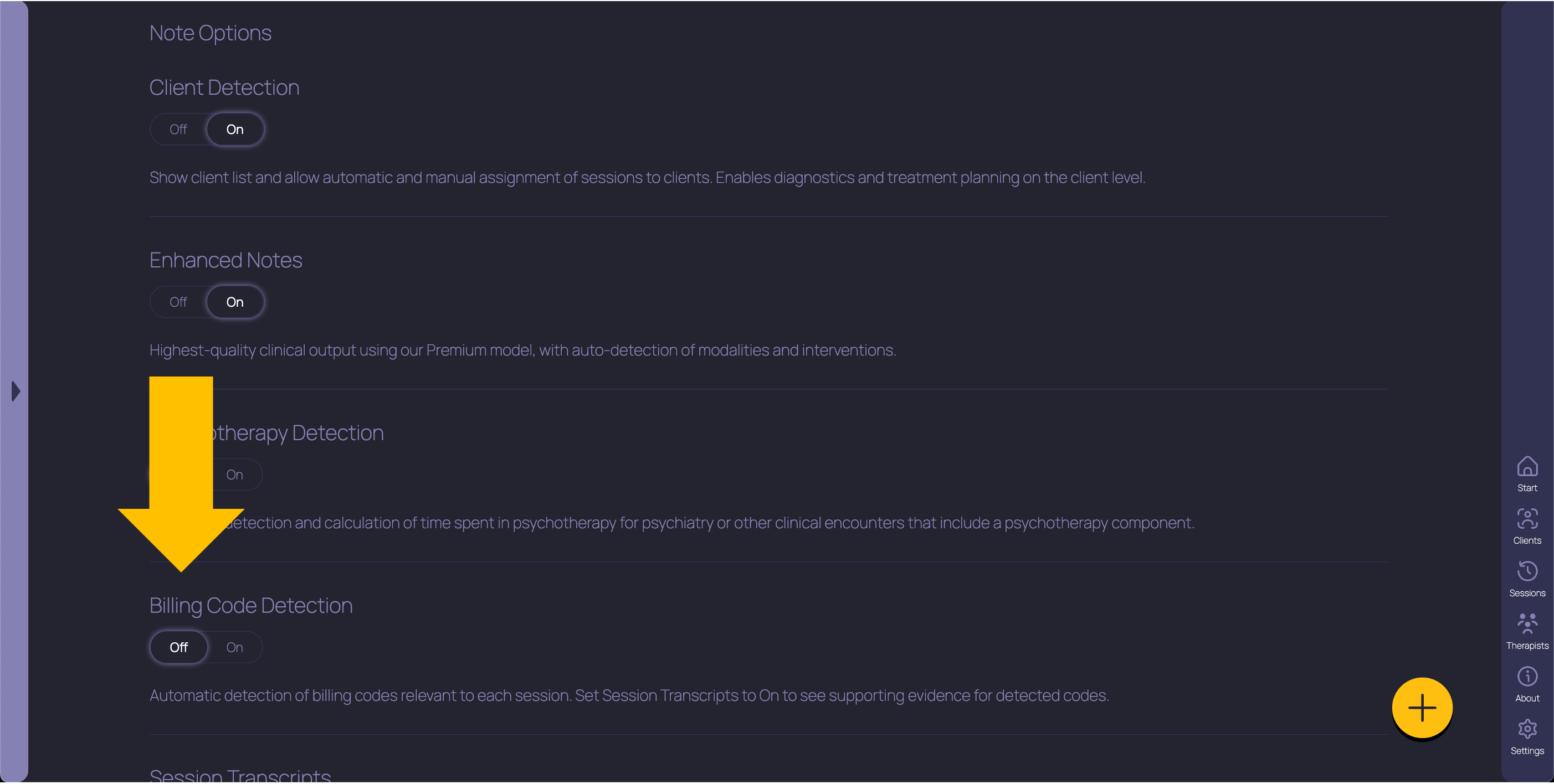
This toggle is set to Off by default, so that TheraPro won’t do code detection or show you billing codes unless you explicitly tell it to. For example, if you only see self-pay clients, you may never need billing codes, and we don’t want them to get in the way of your work.
WHAT DOES THIS FEATURE DO EXACTLY?
When Billing Code Detection is enabled, TheraPro listens for applicable billing codes while you do your session. Currently, TheraPro can listen for and detect seven of the most commonly used CPT (R) codes for psychotherapy: five time-based codes (90832, 90834, 90837, 90839, and 90840) and two content-based codes (96127 and 90785). We expect this list to keep growing as we continue building the logic for more codes into TheraPro.
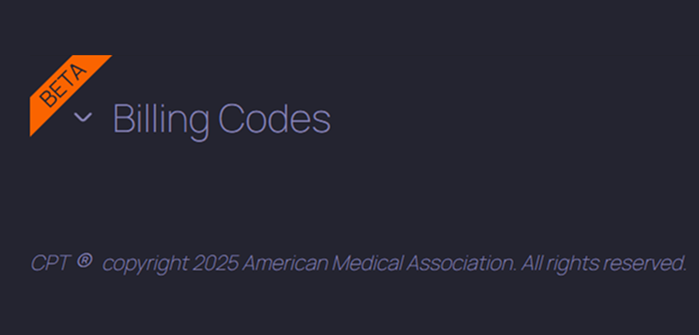
After your session is complete, you’ll see a new section called Billing Codes above your note. If TheraPro detected one or more codes during your session, you’ll see the code highlighted and, if Session Transcripts are also enabled, you can click on the code to see the highlighted portions of your session transcript that TheraPro relied on to detect that code. Since code detection relies on session content and timing in order to function correctly, it won’t work for post-session therapist recaps (dictations), only full sessions where your client is present.
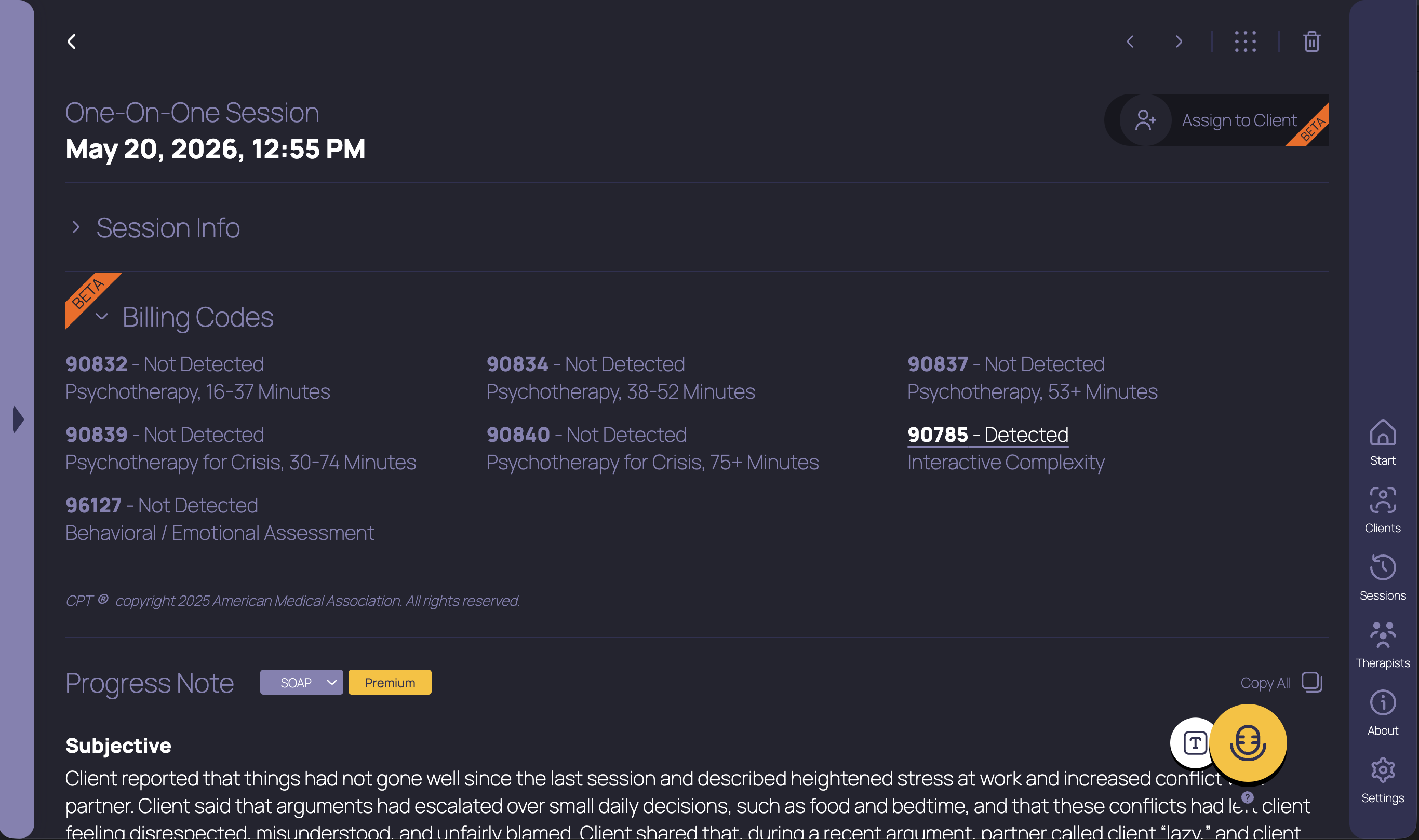
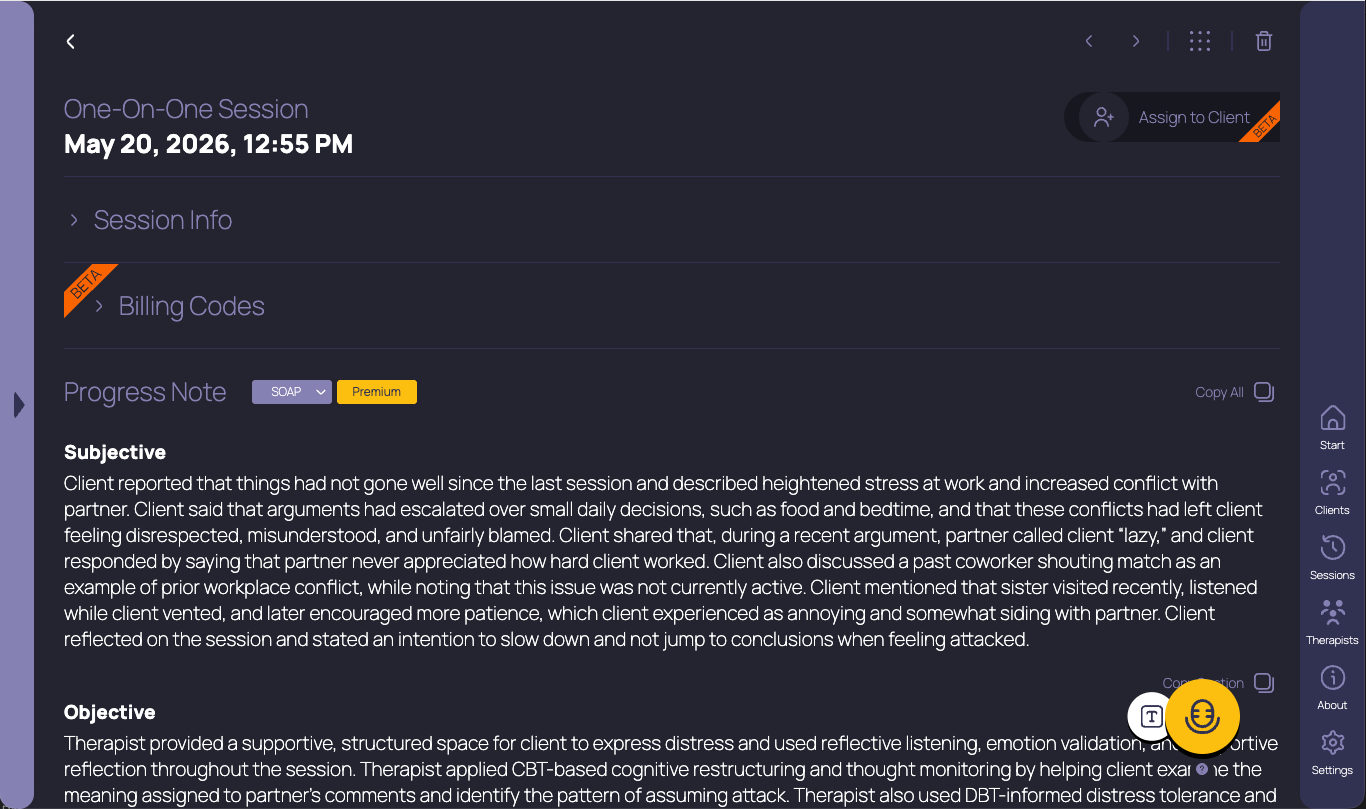
If you want TheraPro listening for billing codes but you don’t want the codes getting in the way of your notes, that’s fine! Just click the small arrow next to the Billing Codes section title and the section will stay collapsed until you decide to expand it again. Don’t worry, TheraPro will still be working on the background during every session, listening for these codes, even if this section is collapsed.
HOW DOES IT WORK?
TheraPro now includes logic based on CPT guidelines that uses your session length, what happened during your session, and other variables to determine whether the threshold for detection of a given billing code has been met. TheraPro’s logic uses a combination of AI foundation models and algorithmic magic to make its determinations.
This is a new feature, and it’s marked with the Beta tag, meaning the functionality and interface are subject to change in the coming months. And while we’ve done our best to make it as accurate as possible, TheraPro can make mistakes. This is one reason we provide the highlighted transcript, so you can validate TheraPro’s code detection against your own experience in session.
HOW MUCH MORE DOES IT COST?
$0. Nothing, nada, zilch. We’re including Billing Code Detection in our existing Pro and Multi-Therapist plans at no incremental cost. If you already have one of these plans, this feature is now included for what you’re already paying today. More value for the same price, that’s our philosophy, and we’re going to stick to it as long as we can.
WHAT ARE THE CAVEATS?
TheraPro should NOT be relied upon as an authoritative source for billing code determination. Aside from flaws in logic or execution (we might just get it wrong), TheraPro may not yet know nuances applicable to particular billing codes in your state or for your payor. Ultimately, the decision whether to bill a certain code is up to you as the clinician. What we ARE trying to do is equip you with tools and evidence to more easily and more accurately make those decisions. We’ve designed this feature so that you as the clinician are well-informed, but stay in control.
We hope this new feature is helpful! We’re always open to feedback when we don’t get it right (or when we’ve nailed it, the team likes hearing that too). Send any feedback you have to hello@therapro.ai, and if you have questions or need help using Billing Code Detection, just drop us a line at help@therapro.ai and our stellar support team will gladly jump in to help! Thank you for using TheraPro.
CPT copyright 2025 American Medical Association. All rights reserved.
Get started with TheraPro AI by checking out our Plans and Pricing, finding out more about How TheraPro Works, or seeing our approach to Security and Privacy. You can Contact Our Team to talk with a real person if you have questions, or Sign Up to create a free account and start using TheraPro AI today!